

Customizable leather sleeve for 13" and 14" MacBook — TRAVERSÉE Traveler
✦ Free laser engraving
Tax included
In the box
- 1 zipped cowhide laptop sleeve
All you need to know
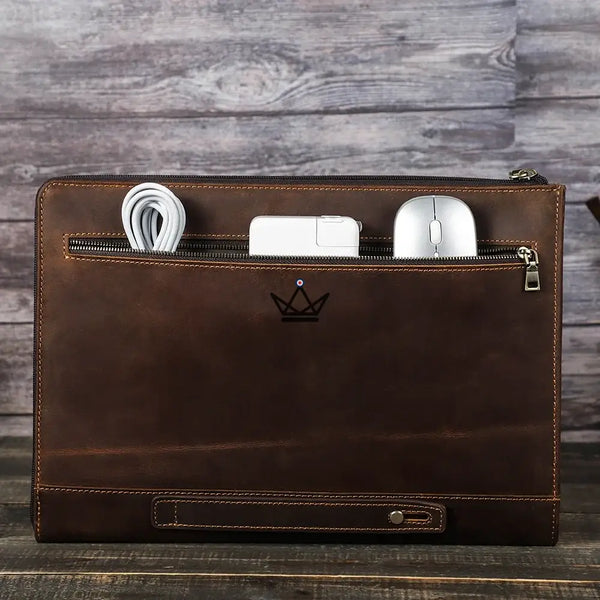
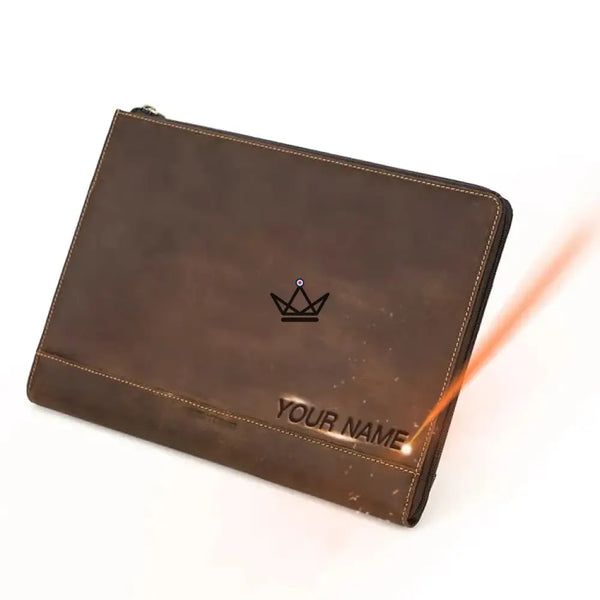
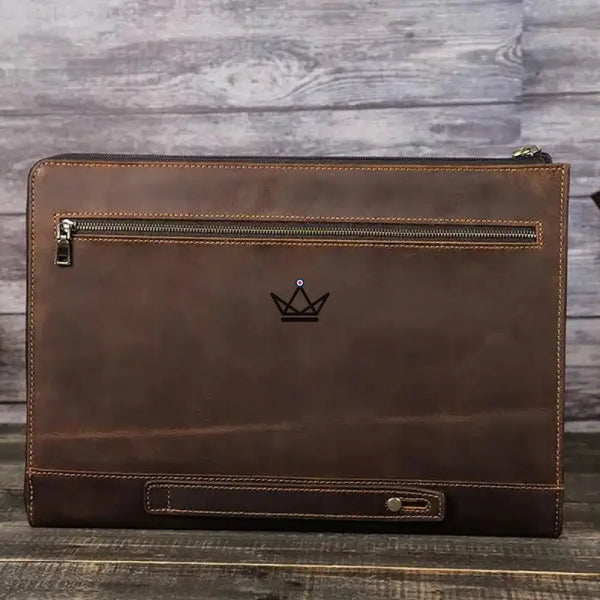
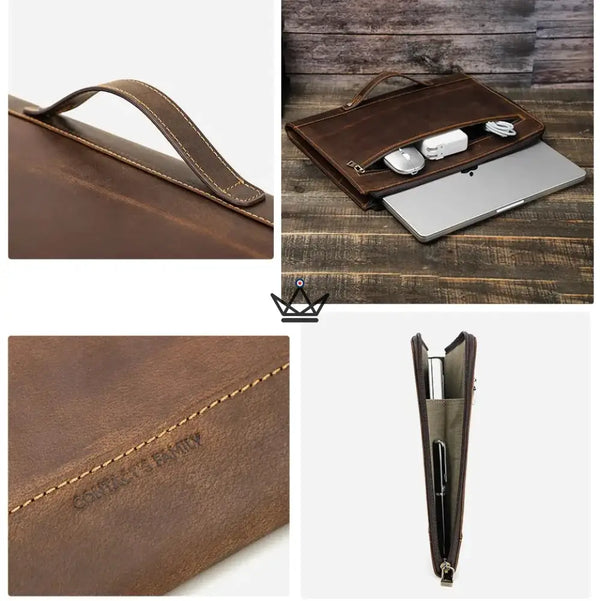
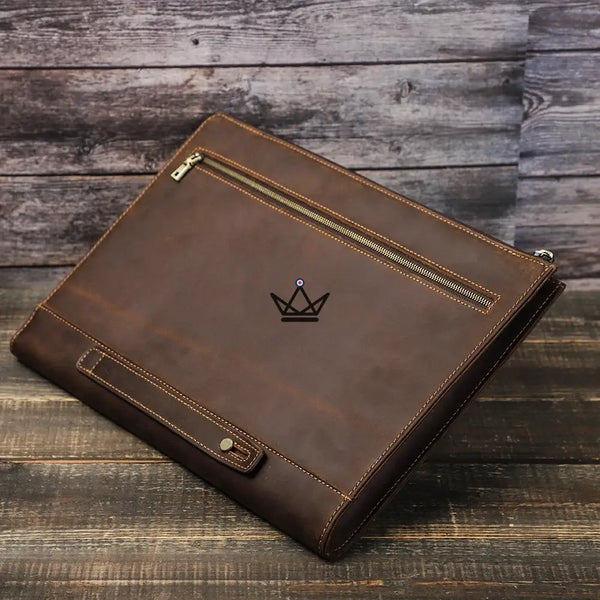
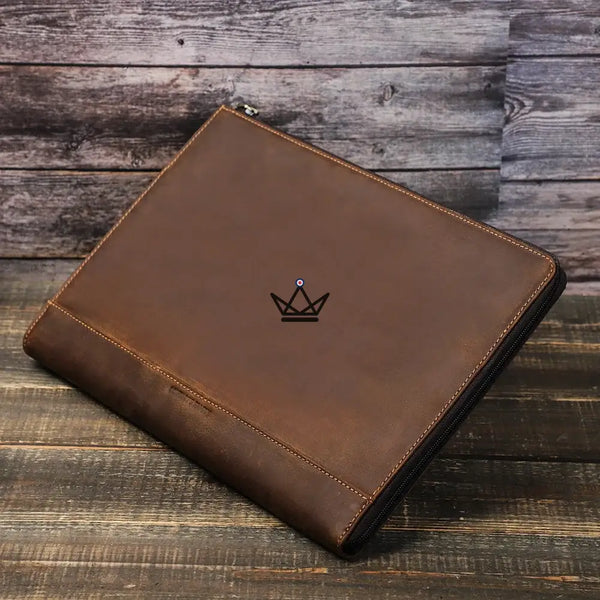
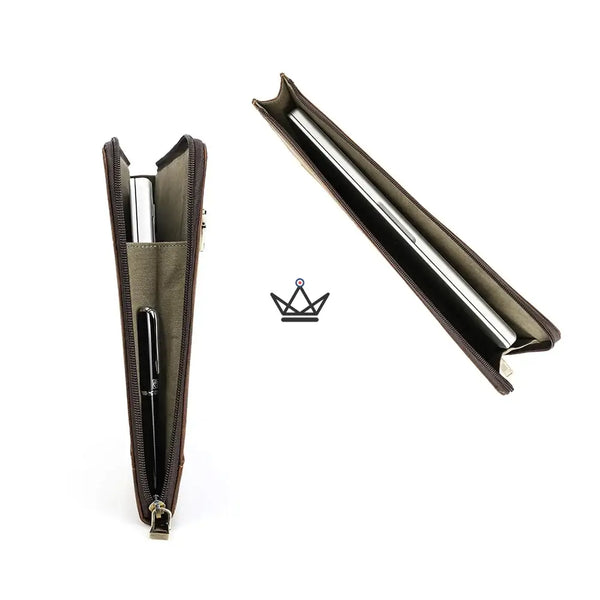
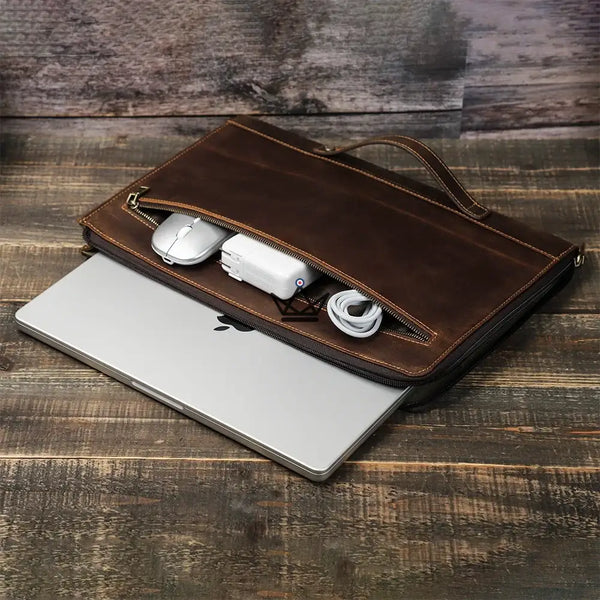
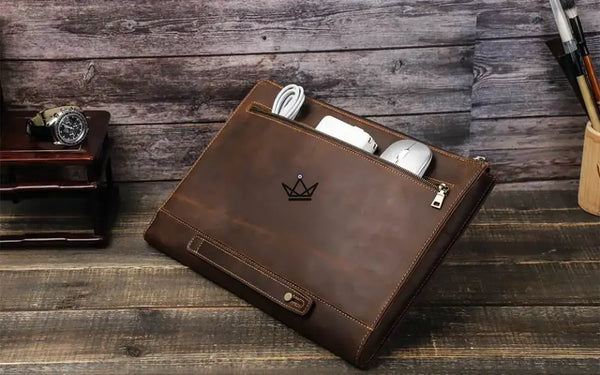
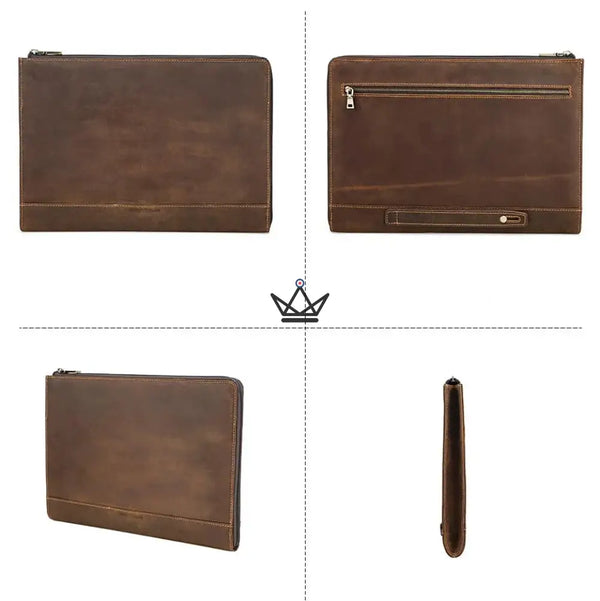
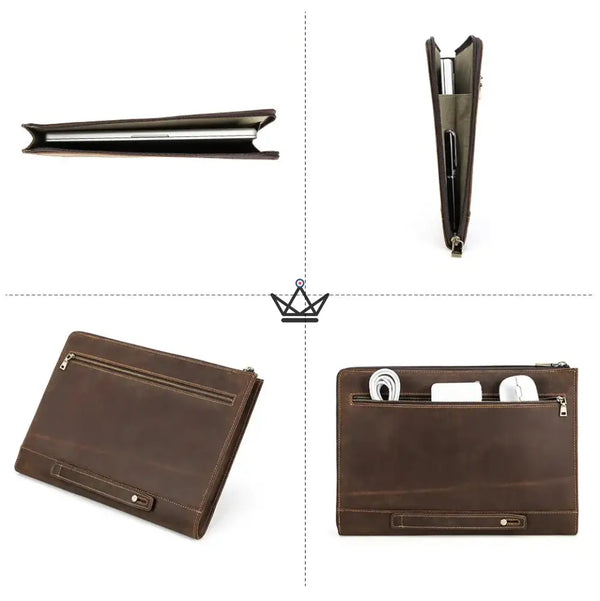
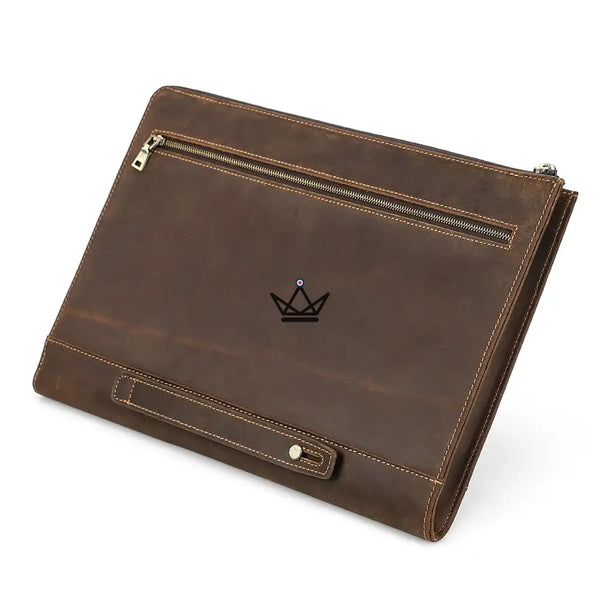
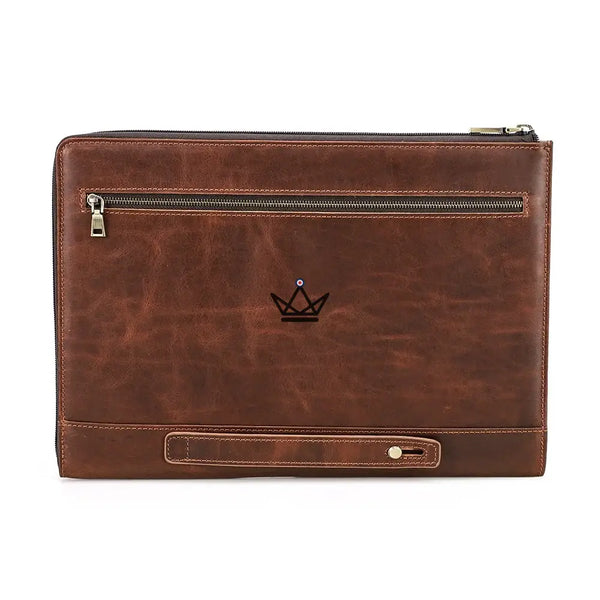
✦ Free laser engraving Genuine leather The Voyageur TRAVERSÉE sleeve dresses your laptop in a leather case tailored to its dimensions. Available in two sizes, 13 and 14 inches, and compatible with ten MacBook Air and MacBook Pro models, it fits the shape of your device instead of leaving it floating in a generic sleeve. It is made from aged-effect cowhide leather (crazy horse type), in two shades: Café and Brun huilé. A zipper protects the computer, while a front zippered pocket holds the charger, mouse, and cables. On the side, a leather handle allows you to pick it up with one hand, and a pen loop placed on the edge keeps a pen always at hand. At less than 3 cm thick, the TRAVERSÉE slips into a backpack, messenger bag, or carry-on suitcase, and can also be carried by hand. Like the entire Voyageur Collection, it can be personalized, with the first laser engraving free.
Colors and sizes
Choose the color, then the size 13" or 14": check the compatibility of your computer in the table below beforehand.
Compatibility table
| Range | Compatible models | Size to choose |
|---|---|---|
| MacBook Air 13" | MacBook Air 13" (A1932) · MacBook Air 13" (A2179) · MacBook Air 13" (A2337) | 13" |
| MacBook Air 13.6" | MacBook Air 13.6" (A2681/A3113) | 13" |
| MacBook Pro 13" | MacBook Pro 13" (A1708) · MacBook Pro 13" (A2159/A1706/A1989) · MacBook Pro 13" (A2251/A2289) · MacBook Pro 13" (A2338) | 13" |
| MacBook Pro 14" | MacBook Pro 14" (M1/M2) · MacBook Pro 14" (M3/M4) | 14" |
| Other computer | Check the dimensions of your device: a computer not listed in the table is not guaranteed, even if it has a similar screen size. If in doubt, our customer service will help you before ordering. | — |
Crazy horse-effect leather
So-called crazy horse leather is cowhide leather nourished with oils and waxes, worked on the surface to give it a slightly worn, deep, and nuanced appearance from the start. Under the pressure of a finger, a fold, or friction, the oils move and the shade lightens locally: this is what is called the pull-up effect, the signature of this type of leather.
For a computer sleeve, this material offers a double advantage. First, it provides soft and dense protection against everyday scratches. Next, it withstands marks without being damaged by them: a light scratch often fades with a rub of the palm, and traces of use blend into a patina that enriches over the months. The two shades offered, Café and Brun huilé, will each evolve in their own way, at the pace of your journeys.
Why you will love it
For every journey
A journey is that moment between two shores: the morning commute, the Monday flight, the shuttle between two sites, the train connecting the office to the country house. It is often then that we open our computer, reread a file, or finish a presentation. The Voyageur TRAVERSÉE was designed for these moments.
Rather than a universal sleeve that lets the computer slide from one side to the other, it comes in two sizes: you choose the one for your device, and the sleeve wraps it closely. The zipper opens wide, the computer slides into place, and the front pocket holds the charger and mouse. A pen finds its place in the loop on the edge, ready for a quick note.
Tucked into a bag, it protects; carried on its own by its side handle, it becomes a full-fledged accessory, understated and warm. Its aged-effect leather softens, develops nuances, and develops a patina, journey after journey, until it becomes a reflection of your habits.
Laser engraving: 1st engraving free
Each piece in the Voyageur Collection can be personalized with laser engraving, and the 1st engraving is free. Initials, first name, last name, date, or short motto: the laser marks the leather with precision and sets your sleeve apart from all others, in a meeting or at security control. To complement it with other engraved pieces, browse our personalized products.
The first engraving is free. To go further — additional text area, engraving of a logo (company, club, event), or hot stamping of your text, printed in relief into the leather instead of laser engraving —, check the desired option in the “Engraving options” box, just below the add-to-cart button.
Choose and use your sleeve in four steps
Which Voyageur sleeve is right for your computer?
| Criterion | Voyageur TRAVERSÉE | Voyageur ODYSSÉE | Voyageur TRIBUNE |
|---|---|---|---|
| Concept | Fitted sleeve, 2 sizes | Full-opening sleeve | Slim briefcase |
| Computers | Air 13" to Pro 14" (13" and 14" sizes) | 14 inches | 13 to 13.3 inches |
| Colors | Café, Brun huilé | Brown | Aged brown |
| Storage | Front zippered pocket, pen loop | Double-zipper front pocket | Phone pocket + 2 interior pockets |
| Carrying | Side handle | Two handles | Retractable handles |
| Key feature | Precise fit | Work without taking out the computer | Slips flat into a bag |
| Engraving | 1st engraving free | 1st engraving free | 1st engraving free |
Good to know: model references (A1932, A2337, A2681…) are printed in small print under your computer. Device names are mentioned for compatibility purposes only. A computer not listed in the table is not guaranteed, even if it has a similar screen size: always check compatibility in the table above before choosing the size. For other work accessories, browse our office and hi-tech collection.
Tip: new leather may appear slightly tight during the first few uses; it quickly softens and takes the shape of the computer. Slide the device in gently, hinge first. To care for the aged-effect leather, rub small marks with the palm and apply a colorless balm for oiled leathers once or twice a year.
Technical specifications
| Model name | Voyageur TRAVERSÉE |
| Product type | Zippered laptop sleeve |
| Exterior material | Aged-effect cowhide leather (crazy horse type) |
| Colors | Café, Brun huilé |
| Sizes | 13" and 14" |
| Compatible models | 13": Air 13" (A1932, A2179, A2337), Air 13.6" (A2681/A3113), Pro 13" (A1708, A2159/A1706/A1989, A2251/A2289, A2338); 14": Pro 14" (M1/M2, M3/M4) |
| Closure | Zipper |
| Exterior pocket | Front zippered pocket (charger, mouse, cables) |
| Carrying | Leather side handle |
| Detail | Pen loop on the edge |
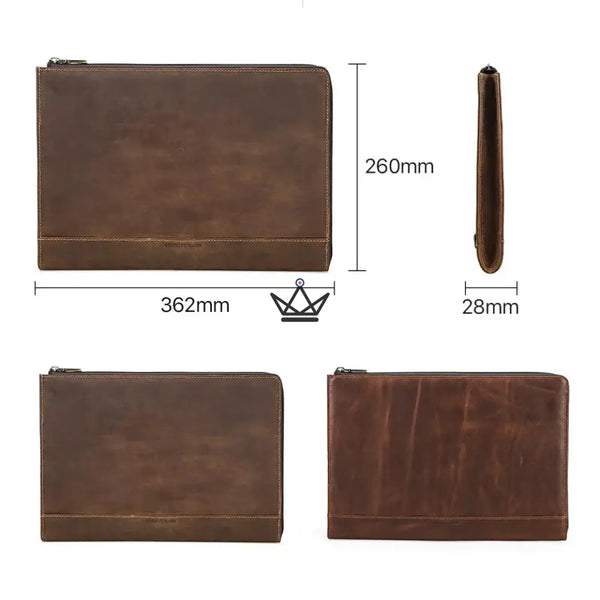
| Dimensions (manufacturer) | 36.2 × 26 × 2.8 cm |
| Weight (manufacturer) | 585 g |
| Contents | Sleeve only, computer and accessories not included |
| Personalization | 1st laser engraving free |
Precautions: the TRAVERSÉE protects the computer from scratches and minor impacts, but does not replace a shockproof case: avoid drops and do not place it in checked luggage. Do not close the zipper over a cable or stuck object, and avoid overloading the front pocket to prevent pressure on the screen. Genuine leather is not waterproof: avoid prolonged exposure to rain and direct heat. As each hide is unique, the shade may vary slightly from one piece to another.
A gift to match their style
Chosen to fit their computer and engraved with their initials, the Voyageur TRAVERSÉE is a particularly thoughtful personalized gift for a university start, first job, new computer, Father's Day, or birthday. It pairs with other pieces from our leather goods collection for a coordinated set.
As a corporate gift, to equip a team or thank partners: the first engraving is free, and to add a logo, text area, or hot stamping of your text, check the desired option in the “Engraving options” box, below the add-to-cart button.
Frequently asked questions
Is laser engraving really free?
Yes. Like all pieces in the Voyageur Collection, the TRAVERSÉE sleeve includes a free first laser engraving, regardless of the color and size chosen. You can include initials, a first name, last name, a date, or a short motto. The laser marks the leather with precision; the engraving then develops a patina along with the sleeve. It is also a practical way to immediately identify your computer in a meeting or at security control. If you are unsure about the wording, our customer service will advise you before production.
How to add a logo or additional engraving?
The first engraving is free. To go further, check the desired option in the “Engraving options” box, just below the add-to-cart button: €5.90 for an additional text area, €14.90 for engraving a logo (company, club, event), €19.90 for hot stamping of your text: it is printed in relief into the leather with a hot iron, like saddlers do, instead of laser engraving. Hot stamping applies to text only: for a logo, it is done by quote, as it requires the creation of a dedicated mold, and is best suited for large quantities. The option is automatically added to the cart, at one per item ordered. For a logo, we will ask you for the file by email after ordering: prefer a vector file or a high-definition image, simple and well-contrasted, for a sharp result. An ideal solution for corporate gifts.
How to know which size to choose?
Turn your computer over: its model reference (starting with the letter A followed by four numbers) is printed in small print under the casing. Then find it in the compatibility table above: Air 13" (A1932, A2179, or A2337), Air 13.6" (A2681/A3113), and Pro 13" (A1708, A2159/A1706/A1989, A2251/A2289, or A2338) correspond to the 13" size. The 14-inch Pro models, with M1/M2 or M3/M4 chip (information visible in the computer settings), correspond to the 14" size. If in doubt, our customer service will help you identify the right size before ordering.
What is the difference between the Café and Brun huilé colors?
Both colors are made from the same aged-effect cowhide leather (crazy horse type) and share exactly the same functions. The difference is one of shade: Café offers a warm brown, while Brun huilé has a deeper and richer appearance. As with all natural leather, the result varies slightly from one hide to another and evolves with use: both shades develop a patina and develop nuances over the months. Both colors are offered in both sizes, 13" and 14".
What can be stored in the front pocket?
The zipped front pocket is designed for accessories that go with the computer: the charger, a mouse, cables, an adapter or a USB flash drive. It allows you to carry everything in a single item, without an additional bag. On the edge, a pen loop completes the set. However, avoid very thick or rigid objects: they would deform the sleeve and could exert pressure on the screen once the sleeve is placed in a bag. For more equipment, a work bag will be more suitable.
How to care for the distressed leather?
The distressed-effect cowhide leather is nourished with oils and waxes: it requires little care. Dust it with a soft, dry cloth. Small marks often fade with a rub of the palm, the heat making the oils migrate. Once or twice a year, apply a thin layer of colorless nourishing balm for oiled leathers, after testing on a discreet area. If the sleeve has been wetted, remove the computer and let it dry open, in the open air, away from a radiator. Avoid solvents and household wipes.
Are the computer and accessories included?
No. The Voyageur TRAVERSÉE is sold alone: the computer, charger, mouse and pen visible in the photos are only used to illustrate the use and are not included. You receive the cowhide leather sleeve with a distressed effect, in the color and size chosen, with its zipped front pocket, side handle and pen loop. It can then be engraved with your initials thanks to the first free engraving, and paired with other pieces from the Voyageur Collection.
